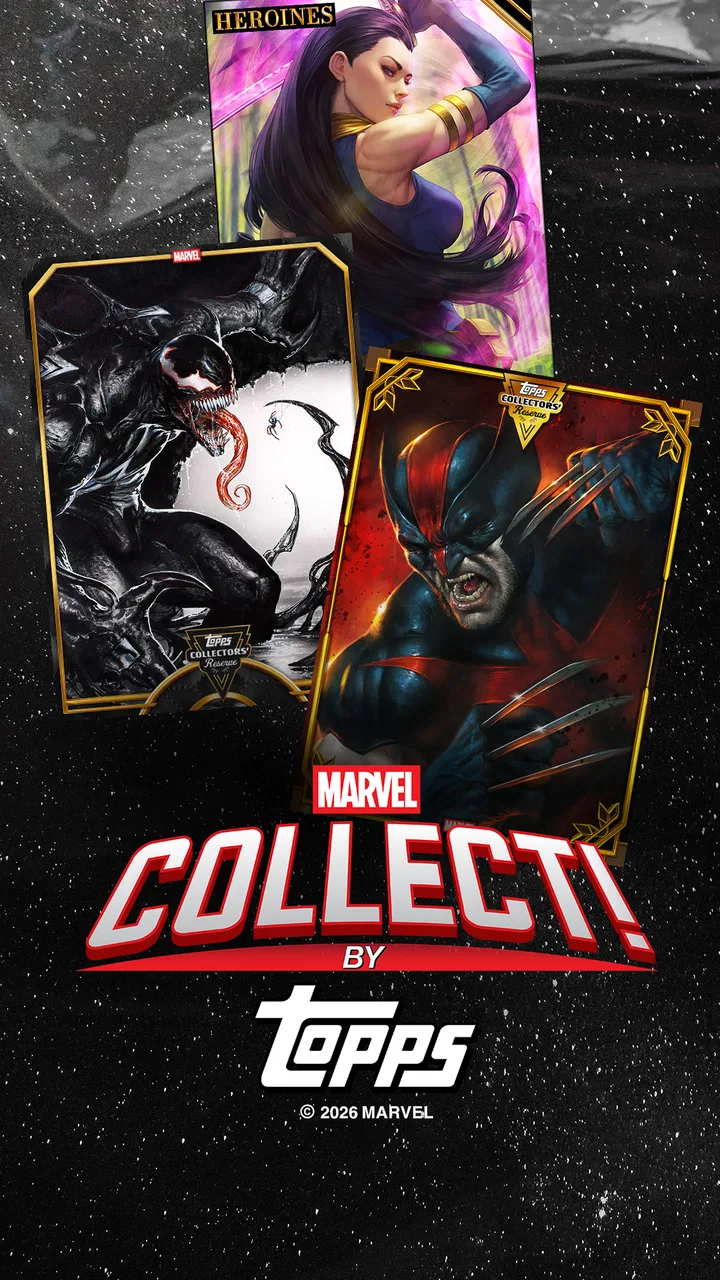
Marvel Collect! by Topps®
- 3.2
- Rating
- 1.00M
- Installs
- Free
- Price
 Analysis by App-foxy
Marvel Collect! by Topps® is the kind of card game I would recommend with one important qualification: it is closer to a digital collecting hobby than to a traditional game of quick matches. I spent time looking at how its collecting, trading, and play loop fits into everyday use, and the appeal is clear if you enjoy Marvel artwork, completing themed sets, and making gradual progress. It is less convincing if you want a tightly balanced card battler that gives you a complete experience without asking for patience or optional spending.
That distinction matters before you install it. The game is free to start, belongs to the card category, and comes from The Topps Company, Inc. Its audience is marked Teen, while the current Android release is version 20.11.4 and requires Android 7.0 or later. The app has passed the million-install mark, so it is not an obscure experiment, but its average rating of 3.3 from roughly twenty-four thousand ratings suggests a mixed experience rather than universal satisfaction. I think that is a fair warning: the concept is attractive, yet the day-to-day experience depends heavily on how comfortable you are with collection management and occasional friction.
Getting past the first points of friction
The first place I would expect a new player to hesitate is the difference between opening the app and understanding what to do next. A digital card collection can look busy even when its basic actions are simple. You may be looking at cards, sets, trades, events, and rewards at the same time, but those areas do not all serve the same purpose. My advice is to resist the urge to tap through everything immediately. First identify where newly obtained cards appear, where incomplete sets are shown, and where trading is handled. That small orientation step saves time later.
You May Also Like

 Blood Strike: 2.5 Anniversary
Blood Strike’s Loadouts Turn Every Drop Into a Tactical Gamble
A close look at Blood Strike’s custom loadouts: how fast access to signature weapons reshapes its battle royale rhythm, rewards preparation, and narrows the gap between fights.

 Pandora - Music & Podcasts
Pandora’s Music Is Easy to Start, but Harder to Recover
Pandora’s strength is its low-effort path from a seed to a station. Its weak spot is how much confidence it asks you to place in connection, setup, and quiet recovery.

 8 Ball Pool
 Is Built on Rivalries, Rematches, and Routine
A close look at the rivalries, rematches, shared routines, and unanswered safety questions that turn a quick pool match into a persistent mobile community.

 Samsung Music
’s Quiet Strength Is Playing What You Already Own
Its reach comes less from spectacle than from dependable access to a personal library. That simplicity is both the app’s strongest retention engine and its ceiling.

 AccuWeather: Weather Radar
AccuWeather Review: A Quick, Clear Forecast for Everyday Decisions
For everyday plans, the best forecast is the one you can understand quickly. AccuWeather makes rain timing, radar, and local conditions easy to act on, with a few trade-offs.

 Hill Climb Racing
Why Hill Climb Racing Still Turns Crashes Into One More Run
A tiny car, a bumpy hill and one more upgrade: Hill Climb Racing keeps resurfacing because its simple chaos makes every near-miss feel personal.
More From Our News Desk



Another common stumbling block is treating every card as equally useful. In a collection-focused game, a card can matter because it completes a set, because another collector wants it, or because it contributes to a particular activity. I would not trade away duplicates or attractive cards in your first session just to make room for something new. Keep a short mental record of what you already own and look at the set context before deciding. This is one of the less obvious habits that makes the app feel more manageable.
The game’s central appeal is the combination of collecting and trading, not simply tapping through isolated card reveals. That means progress can feel slow if you approach it like a conventional card game where every session should end with a clear win. I found it more satisfying to set a small objective, such as improving one incomplete collection, rather than trying to chase everything at once. The app rewards attention to organization more than frantic activity.
There is also a practical expectation to set around the free entry point. Marvel Collect! costs nothing to download, but optional purchases range from $0.99 to $99.99 per item. I would treat those purchases as a budget decision, not as a requirement for deciding whether the basic loop suits you. If you are curious, use the free experience to learn how often you return, whether you enjoy trading, and whether completing sets actually motivates you. Spending before answering those questions is the easiest way to turn a relaxing hobby into an expensive impulse.
What to check before blaming the game
When an app appears stuck, I begin with the simplest checks. I confirm that the phone is running Android 7.0 or newer, then close other demanding apps and reopen Marvel Collect!. I also check whether the problem is limited to one screen or affects the whole experience. A single delayed page can be a temporary loading issue, while a complete failure to open points toward the device, connection, or installation rather than the collection itself.
I would also make sure the app is installed from the official Android store and that the device has enough free storage for normal updates. This is especially useful with a long-running digital collection, because an update can fail or behave strangely when storage is nearly full. I do not recommend repeatedly uninstalling and reinstalling as a first response. Before taking that step, make sure you understand how your progress is connected to your account so you do not create a recovery problem while trying to solve a loading problem.
Connection checks are worth doing without overcomplicating them. If cards or collection pages do not load, switch between a reliable Wi-Fi connection and mobile data if available, then try again after fully closing the app. If one connection works and the other does not, the issue is probably local to the network path. If both fail while other apps work normally, waiting and trying later is more sensible than repeatedly tapping the same button.
Notifications and background activity can also make a phone feel as though the game is unreliable when the real issue is the device managing resources. I prefer to restart the phone before changing multiple settings. That gives you a clean test and prevents a long list of guesses from becoming impossible to undo. For a game built around returning regularly to check a collection, a stable routine is more useful than constant troubleshooting.
A calmer workflow for collecting and trading
My preferred workflow is simple. I open the app with one goal, review the cards or collection area related to that goal, and only then look at trading or other activities. This prevents the familiar problem of collecting random items without knowing how they fit together. When I receive something new, I check whether it completes a set, improves a duplicate position, or is better kept for a future trade. That three-part check is more useful than judging a card only by its character or artwork.
Trading deserves extra care. A visually impressive card is not automatically the right card to give away, and a duplicate is not automatically worthless. Before accepting a trade, I would compare what I am losing against the specific collection progress I gain. If the exchange only feels exciting because it is immediate, I wait. The best trades are the ones that still look sensible after the initial enthusiasm fades.
One practical trick is to divide your collection into three informal groups: cards you want to keep, cards you are willing to trade, and cards you are undecided about. The game does not need to provide a special tool for this approach to help. It changes the way you browse. I am less likely to make a regrettable exchange when I pause over the undecided group instead of treating every card as available.
Another useful habit is to play in short sessions rather than leaving the app open while multitasking. Short visits make it easier to remember what you were trying to complete and reduce the temptation to spend simply because you are bored. A ten-minute check during a commute or break can work well, provided you are not using a connection that cuts out frequently. I see this as a collection to maintain, not a game that needs to occupy the entire evening.
If progress appears to have disappeared, do not immediately repeat the action that caused the confusion. Close and reopen the app, check the relevant collection area again, and look for any confirmation that the action completed. If the problem remains, record what you did in plain language: which screen you used, what you selected, and what changed afterward. That information is far more useful when contacting support than saying only that the game is broken. It also helps you avoid accidentally duplicating a trade or purchase.
When the problem is outside the app
Not every frustrating session is caused by Marvel Collect!. Older devices can struggle when storage is crowded or many apps are active. A weak connection can make a collection appear incomplete even when the underlying account is fine. Android settings can restrict background activity or notifications, and a phone that has not been restarted for a long time may behave unpredictably. I would test these possibilities one at a time rather than changing everything together.
There is a useful difference between a design limitation and a technical fault. If you dislike waiting for collection progress, the trade-focused structure may simply not match your preferences. If a page consistently fails to load, buttons do nothing, or an action does not appear after a sensible retry, that is more likely a technical issue. Knowing which situation you are facing prevents wasted effort. No amount of clearing storage will make a collecting game feel like a fast competitive battler.
The Teen content rating is another reason I would use normal care when deciding who plays and how purchases are handled. The game’s free label can make it feel harmless to hand over to a younger family member, but the presence of in-app purchases means I would not leave spending decisions completely unattended. This is not a criticism of the collecting concept; it is simply part of using a free-to-start hobby responsibly.
Compared with a physical Marvel card collection, the app is easier to carry and more convenient for checking cards whenever you have your phone. It also avoids the physical storage problem that comes with binders and loose cards. The trade-off is that a digital collection depends on the app and account experience, while physical cards remain tangible objects you can inspect and organize without a screen. If the physical ritual is the main reason you collect, this will not fully replace it.
Compared with a conventional card battler, Marvel Collect! is less about building a carefully tuned deck and more about ownership, completion, and exchange. A battler is the better choice when you want direct competition, clear tactical turns, and a strong sense that every match tests your decisions. This game is better suited to someone who enjoys checking progress, noticing new artwork, and deciding which cards matter personally. The two styles can coexist, but they satisfy different moods.
Who will enjoy it, and who should skip it
I think the strongest audience is a Marvel fan who enjoys collecting without needing every session to produce a dramatic victory. It also suits people who like sorting, comparing, and making deliberate trades. Someone who checks in during short breaks, keeps a modest collecting goal, and avoids impulsive purchases may get a surprisingly pleasant routine from it. The scale of the community is large enough to make the idea of trading feel meaningful, although the average rating shows that popularity does not remove the rough edges.
I would be more cautious recommending it to a player who wants immediate action, a fully self-contained offline experience, or a card game where skillful play is the only thing that determines progress. I would also skip it if the idea of repeated collecting and optional purchases already sounds irritating. The Marvel theme can attract you initially, but it cannot compensate for a loop you do not enjoy.
My practical recommendation is to install it only when you can give the free version a fair trial without treating early progress as a race. Learn the layout, keep your first trades conservative, and decide on a spending limit before any purchase appears. If the app feels confusing, use the setup checks above before assuming your collection is lost. If it still does not fit after a few calm sessions, choosing a traditional card battler or a physical collection will probably be more satisfying.
After using it with those expectations, I see Marvel Collect! as a specialized hobby with a recognizable strength: it turns Marvel fandom into an ongoing digital collection that can be reviewed and traded from a phone. Its weakness is the same focus. The experience asks for patience, organization, and restraint, and technical or account friction can interrupt that rhythm. My honest verdict is that it is worth trying for collectors, but not the right choice for players seeking fast, purely skill-based card matches.
The developer, The Topps Company, Inc., has made a free entry point that is easy to understand once you stop treating it like a standard battle game. I would recommend it to a friend who enjoys the collecting side of cards and is comfortable managing optional spending. I would not recommend it as a universal Marvel game. Give it a focused trial, protect your collection decisions, and judge it by whether returning to complete and trade cards feels rewarding rather than by how quickly it gives you something new.
FAQs for Marvel Collect! by Topps®
01What is Marvel Collect! by Topps®?
Marvel Collect! by Topps® is a digital card collecting app that allows fans to collect and trade cards featuring their favorite Marvel characters. The app offers a range of cards with varying rarities, and users can complete sets, unlock awards, and participate in special events. It's perfect for Marvel enthusiasts who enjoy collecting and trading cards.
02Is Marvel Collect! by Topps® free to download and play?
Yes, Marvel Collect! by Topps® is free to download on both Android and iOS platforms. While the app is free to play, it does offer in-app purchases for those who wish to enhance their collection faster or access exclusive cards and packs. However, players can still enjoy the game without spending any money.
03How does trading work in Marvel Collect! by Topps®?
Trading in Marvel Collect! by Topps® is designed to be user-friendly, allowing players to swap cards with other users to complete their collections. Players can propose trades or browse available trades from others. The app provides a secure trading environment, ensuring that all trades are fair and mutually agreed upon by both parties.
04Are there any special events or features in Marvel Collect! by Topps®?
Marvel Collect! by Topps® frequently hosts special events and challenges that offer players the chance to earn unique cards and rewards. These events often coincide with Marvel movie releases or comic book anniversaries. Additionally, the app features daily missions and activities to keep the gameplay engaging and rewarding for users.
05What devices are compatible with Marvel Collect! by Topps®?
Marvel Collect! by Topps® is available for both Android and iOS devices. It is compatible with most modern smartphones and tablets. Users should ensure their devices have the latest operating system updates to guarantee the best performance. It's recommended to check the app's store page for specific compatibility requirements.
Pros
- Extensive collection of Marvel characters.
- Daily rewards keep users engaged.
- High-quality card designs and graphics.
- Frequent updates with new content.
- Engaging community and trading system.
Cons
- In-app purchases can be expensive.
- Requires consistent internet connection.
- Occasional app crashes reported.
- Limited offline functionality.
- Can be overwhelming for new users.

Marvel Collect! by Topps®
Gallery